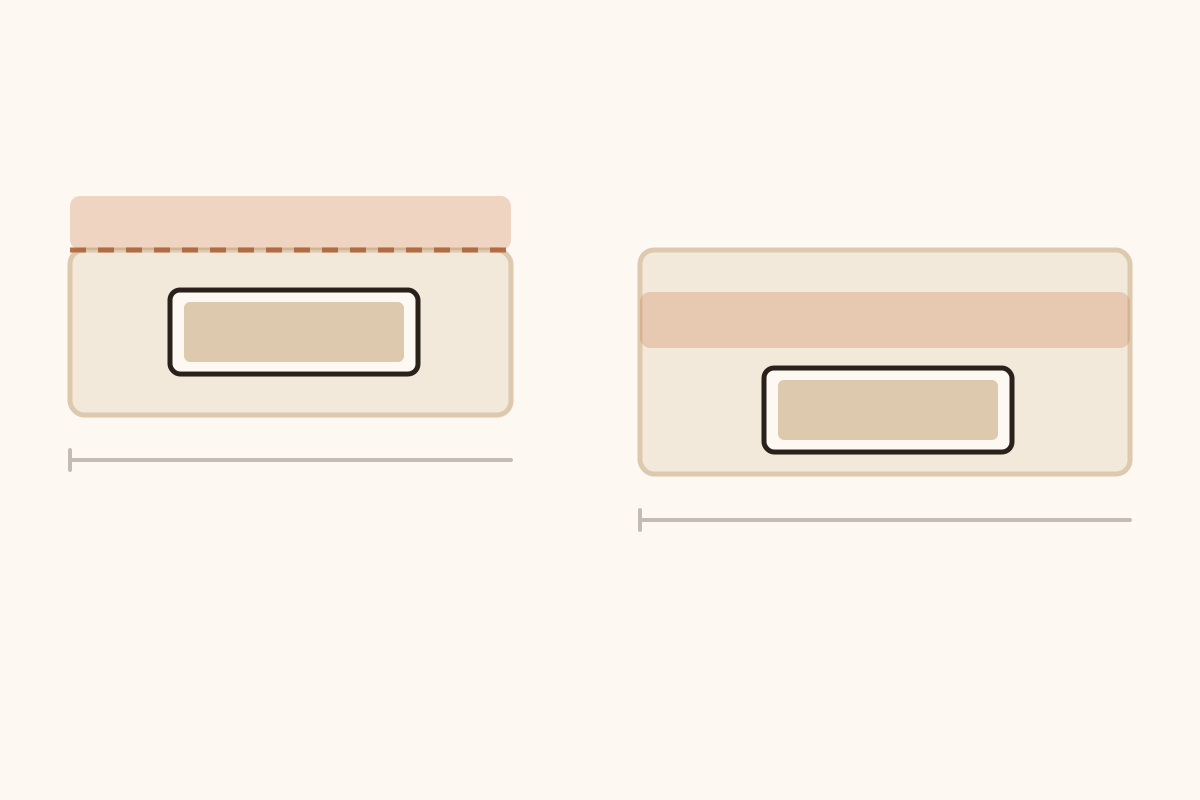
The desk in the spare room is 55 inches wide and 24 deep, and for about a year the thing sitting on it was a 31.5 × 11.8-inch mat. The keyboard is a full-size Logitech K120, which the spec sheet lists at 17.72 inches wide, so 17.7 of that 31.5 was keyboard and 13.8 was left for a mouse — enough for the sweep and the margin, with about an inch and a half to spare.
Depth was the problem, and it took a year to see why, because the deficit was two tenths of an inch and the symptom was a sore wrist.
A 6-inch keyboard on an 11.8-inch mat leaves 5.8 inches of slack. You can push the keyboard to the back edge and keep all 5.8 inches in front, but most people center the keyboard on the mat, and centering divides the slack in half — under 3 inches of mat between you and the keyboard. That is less than a wrist rest takes. Your palm ends up on the desk at the mat’s front edge, with a step the thickness of the mat under the heel of your hand all day. It reads as a keyboard problem, a chair problem — anything except a mat that is short in a way you can feel and not see. 31.5 × 11.8 looks like a mat and is really a strip.
The fix took ten minutes and one measurement I should have taken before buying anything. Here is the measurement, and the arithmetic that comes out of it.
The width comes from the keyboard plus your arm
Three things have to fit side by side: the keyboard, the mouse, and the sweep your forearm makes while you use it.
The keyboard number is the only one you can look up. Full-size boards with a number pad cluster between 17 and 18 inches wide; the K120 measures 17.72, and that figure comes from the specification page rather than from my tape measure. A tenkeyless board saves you about 3 inches, and a 60% board about 6, which matters more than it sounds, because that width comes straight off the mat you need to buy.
The sweep is the one nobody measures. The ergonomics guidance is consistent that the mouse should be worked with your upper arm relaxed and close to the body, wrist straight, and the pointer close in rather than out at arm’s length (Cornell University Ergonomics Web). What that means physically is that your elbow stays roughly under your shoulder and the mouse travel is forearm rotation, not a reach. On most adults — and this is my number, not Cornell’s — that is 8 to 10 inches of side-to-side travel before the shoulder starts doing the work.
So: 17.7 inches of keyboard, plus 10 of sweep, plus a 2-inch margin so the mouse never sits with its own edge hanging over the mat’s edge. That is 29.7 inches, and 30 is the arithmetic floor for a full-size keyboard. Thirty-five gives you room to be sloppy about where you put the keyboard down. Under 30, one of the two things you own does not have a home.
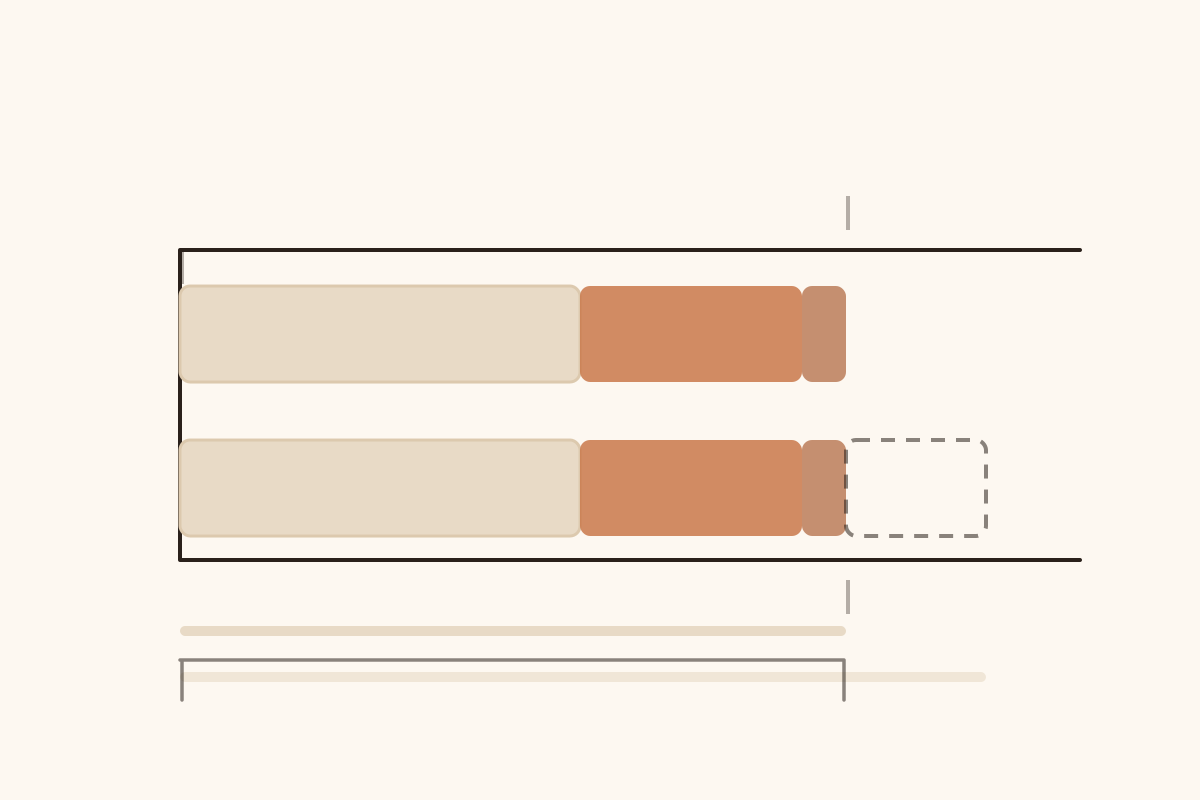
Keyboard, sweep and margin, in the order they add up. The keyboard is the only one of the three you can look up.
The depth is where a 24-inch desk bites
A 24-inch-deep desk is the standard cheap desk, and it is the dimension that constrains the mat rather than the other way around.
Depth is easy to get wrong because the obvious method gives the wrong answer. You do not add the keyboard, the wrist rest and the mouse together the way you added widths. The keyboard occupies one lane running front to back and the mouse occupies another one beside it, so the mat only has to be as deep as the deeper lane, not as deep as both.
The keyboard lane runs front to back in two pieces: the 4 inches a wrist rest takes on your side, then the 6 inches of board behind it. That is 10. The mouse lane is not the lateral sweep again — fore and aft a mouse needs the depth of the mouse itself plus its travel, which comes to about 8 inches for most people, and less if you work from the wrist. Take the larger of the two, which is the keyboard lane, add a 2-inch margin, and you are at 12. Without a wrist rest the keyboard lane drops to 6, the mouse lane takes over, and the floor drops to 10 — which is worth knowing before you decide the 12 applies to you.
Which leaves 12 inches on a 24-inch desk for a monitor stand, a lamp, a mug, and the small pile of paper that accumulates whether you plan for it or not. Move the monitor onto an arm that clamps to the back edge and that space stops being a problem. Leave the monitor on its own foot and it wants 8 or 9 of those 12 inches, which is why a deep mat and a monitor foot end up competing for the same strip of desk.
Twelve is the floor and 16 is what most people actually buy, because the extra depth lets you push the keyboard back and still have mat in front of the mouse. On a 24-inch desk 16 is also about the ceiling: it leaves 8 inches at the back, which is the small end of what a monitor foot wants. Past about 17 inches you are not choosing a mat any more. You are choosing a shallower monitor stand or a different desk.
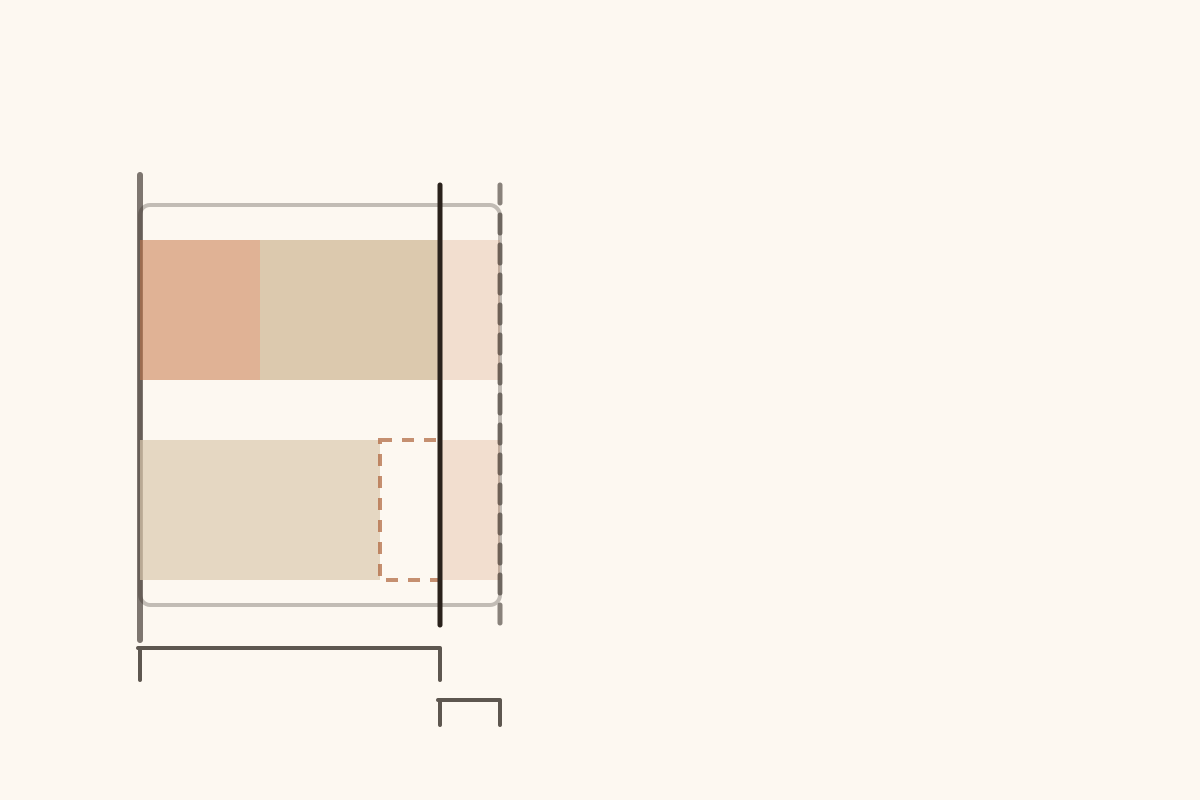
Front to back on a 24-inch desk, as far as the mat’s back edge. The mat ends where the longer lane ends, plus two inches of margin. The leftover, which is what the monitor has to live in, is off the drawing.
The edge placement nobody mentions
Two failures here, and both are cheap to avoid.
The first is a mat that stops 6 inches short of the desk edge. Your forearms then rest on the desk with a lip under the wrist, and you feel it within an hour. The mat’s front edge should overhang the desk edge slightly, or stop within an inch of it, so there is no step under the forearm.
The second is the mat that covers the whole desk. It looks tidy in photographs and it is a mild nuisance in practice: the mat becomes the work surface, so every scratch, every coffee ring and every pen mark is now on the thing you cannot wash, and you have lost the ability to slide a notebook sideways without it catching on a seam.
A mat needs to be as big as the working area, which is a smaller thing than the desk. My desk is 55 inches wide. The mat that ended up working is 35 × 16, positioned with its left edge about 6 inches in from the desk’s left edge, leaving 14 inches of bare desk on the right for a notebook and a cup. The keyboard sits on the mat and so does the mouse, and your wrist rests on the mat instead of the desk. Nothing hangs over an edge any more.
If you meant the leather writing pad
The phrase “desk pad” gets used for two different objects, and the sizing logic does not transfer between them.
The blotter-style writing pad is a leather or felt rectangle you put a laptop and a notebook on. Its constraint is paper, not a mouse. Two US Letter sheets in landscape side by side are 22 inches across; in portrait it is 17. Add a margin either way and you are at 20 to 24 inches wide. Vertically, 11 inches of paper plus a margin gives 14 to 16. A comfortable writing pad therefore lands somewhere around 24 × 16, and 32 × 16 if the laptop has to share the same rectangle.
The mouse mat’s constraint is the sweep. A 24 × 16 pad is a perfectly good writing surface and a bad mouse surface for a full-size keyboard, because 24 inches is six under the 30-inch floor of the arithmetic above. Same rectangle, two different jobs, and the one you want depends on whether your hand spends the day on a mouse or a pen.
Where on the mat your chair is
Almost everyone centers the mat on the desk. That is only correct if you also sit at the center of the desk, and a lot of us do not: the desk is against a wall, the chair is slightly left of center to leave room for a cup on the right, and the monitor has been pushed left to match.
Cornell’s page says two things that matter here. Center the monitor on you rather than on the furniture. And line your body up with the B key rather than with the keyboard’s outer edge — because a full-size board carries a number pad and a strip of keys to the left of B, so centering the edge on your body puts the letters about three inches off to one side before you have moved anything. That three inches, plus an inch of room for an occasional left-handed reach, is where the 4-inch overhang on the left comes from.
The consequence is arithmetic. If your chair sits 8 inches left of the desk’s center, every inch of mat to the right of your typing position is doing work, and the inches to the left of it are not. A 35-inch mat centered on the desk can put its right edge 8 inches further from your mouse than you assumed.
Sit down, put your hands where they go, and look at the desk from above before you measure. The mat wants to start about 4 inches left of the keyboard’s left edge, for the odd occasion when you use your left hand on the mouse, and it wants to extend as far right as your sweep plus a margin. That overhang on the left is the part nobody budgets for. It sits outside the three terms in the width sum, which is why the floor stays at 30 and the thing you actually order is 34 to 35.
The two-minute measurement
Clear the desk. Put the keyboard where you actually want it, not where it currently is. Put the mouse down and slide it as far right as your elbow allows without your shoulder moving. Put a coin or a mug at that edge.
Now measure from 4 inches left of the keyboard’s left edge to the coin, and add 2 inches. That is your minimum width, and it comes out 4 inches wider than the same measurement taken from the keyboard’s own edge. Measure the depth of the deeper of the two lanes — the keyboard lane if you use a wrist rest, the mouse lane if you do not — from the front edge of the desk backwards, and add 2 inches. That is your minimum depth.
If the depth figure comes out above 16 inches on a 24-inch desk, the mat is not what needs moving. The monitor is, because on its own foot it is eating the strip of desk the mat has to occupy.
What thickness changes
Thickness is the one dimension the trade still sells in millimeters, so: 2 mm is about as thick as a nickel and about a twelfth of an inch, and it is a sheet — it protects the desk and does nothing else. Three to four millimeters, an eighth of an inch or a little more, is the useful range, because the mat’s job is to give the mouse sensor a consistent surface and to stop the keyboard’s feet from sliding.
Past 5 mm, a fifth of an inch, the mat starts working against you. A soft, thick mat lets a mouse sink in slightly, which changes how much force it takes to start moving and makes fine positioning mushy; and a spongy surface under a keyboard is a strange thing to type on, because the whole board gives when you press a key. If you want cushioning under your wrists, that is a wrist rest’s job, and it belongs on your side of the keyboard rather than under it.
Stitched edges are worth the small premium, for one reason: an unstitched cloth mat delaminates from the edge inward, and once the top layer starts lifting it catches your wrist on every pass.
When not to buy one
If you have a keyboard tray under the desk, a mat usually will not fit it, and the tray has already solved the problem a mat is meant to solve, which is putting the keyboard at the right height with the mouse beside it. Cornell’s guidance is to consider a tray for exactly that reason.
If the desk is shared and gets used for soldering, painting or homework, a removable mat is the wrong shape, because it will never be put back in the same place. A small pad under the wrist and a separate mousepad handle that setup better.
And if the only complaint is that the desk surface is cold or hard, the answer is a bigger, softer desk mat under your forearms for the whole working depth, not a mouse mat. That is a different purchase and the arithmetic above does not apply to it.
What I could not verify
The keyboard width is from Logitech’s spec sheet for the K120, 17.72 inches, and the ergonomics guidance is Cornell’s, which is a university reference page rather than a study. The 8-to-10-inch sweep and the 2-inch margin are my own numbers, from measuring one desk and from what the products in this category do — I looked for an anthropometric figure for mouse travel and did not find one. Two claims here are my judgment rather than data: that most people center the keyboard on the mat, and that 16 inches is what most people end up buying. I believe both from watching people sit down at their own desks, and neither comes from a survey. I also could not find a published trial that varies desk mat dimensions; the research I did find varies surface, tilt and height, which is not the same question. Some manufacturers do publish their reasoning — SteelSeries tells you to go to an XXL if the keyboard has to sit on the pad too — but most spec sheets list dimensions and nothing else.
The 55 × 24 desk is mine, and the arithmetic is built on it. If yours is the common 60 × 30, the same three steps work and you will arrive at a different rectangle, which is the point of measuring at all.
None of this says how the mat will feel at the end of a working day, and that is a thickness question. It is worth answering after the rectangle and not before — the same order you would use buying a kneeling pad, where the size comes first and the foam is an argument you have afterwards.